
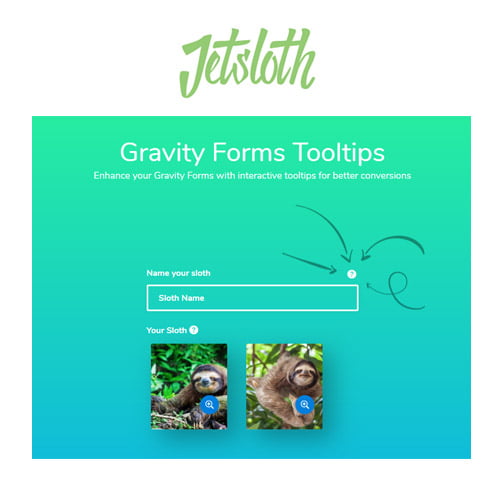
Gravity Forms Tooltips GPL
Original price was: $29.00.$3.99Current price is: $3.99.
- Very cheap price & Original product!
- We Purchase And Download From Original Authors
- You’ll Receive Untouched And Unmodified Files
- 100% Clean Files & Free From Virus
- Unlimited Domain Usage
- Free New Version
- License: GPL
DOWNLOAD ALL!
Over 3000+ plugins and themes can be downloaded as a premium member for only $7.99. Become Member Now!Gravity Forms Tooltips GPL: A Simple Solution for Enhancing Form Usability
If you’re looking for an easy way to improve your form’s user experience, the Gravity Forms Tooltips GPL is exactly what you need. Whether you’re running a website that collects data through forms or looking to enhance your users’ experience, adding tooltips can make a world of difference. This powerful tool provides you with the ability to add helpful, interactive tooltips to your forms, guiding users and making them feel more confident while submitting information.
The Gravity Forms Tooltips plugin is designed to integrate seamlessly with the Gravity Forms plugin, one of the most popular form builders for WordPress. Whether you’re a developer, designer, or site owner, this tool makes form interaction easier for everyone. With the Gravity Forms Tooltips, you can provide extra information or clarification to users without overwhelming them with unnecessary text.
In this comprehensive guide, we’ll dive into the benefits of using Gravity Forms Tooltips GPL, how it works, and why it’s a must-have plugin for anyone who wants to enhance their website’s forms.
What is Gravity Forms Tooltips GPL?
The Gravity Forms Tooltips GPL is a free version of a premium plugin designed to extend the functionality of the popular Gravity Forms plugin. Gravity Forms, widely known for its ease of use and powerful features, allows website owners to create custom forms for everything from contact forms to surveys, and more. The Gravity Forms Tooltips plugin enhances this experience by allowing you to add helpful tooltips to each form field.
Tooltips are small, interactive pop-ups that appear when a user hovers over or clicks on a specific element. They can be used to display helpful tips, clarifications, or additional instructions to ensure the user understands the field’s purpose. With this plugin, you can add tooltips to various elements on your forms, guiding your users through the process step by step.
Not only does this help improve user experience, but it also reduces form abandonment rates. When users understand exactly what information is required and how to fill out the form, they are more likely to complete and submit it.
Key Features of Gravity Forms Tooltips GPL
The Gravity Forms Tooltips GPL comes with a variety of useful features that will help you optimize your forms and ensure your users have a smooth experience. Here’s a breakdown of its key features:
-
Simple Integration with Gravity Forms The Gravity Forms Tooltips plugin is built specifically for Gravity Forms, making the integration seamless. You don’t need to worry about compatibility issues; the plugin works perfectly with any Gravity Form on your WordPress website. Simply install it, and you’re ready to add tooltips to your forms.
-
Customizable Tooltip Design Every website has its own branding, and the tooltips should match the overall look and feel of your site. With the Gravity Forms Tooltips GPL, you have the ability to customize the appearance of your tooltips. Adjust the color, size, and font style to fit your theme and make sure that the tooltips are visually appealing and easy to read.
-
Interactive Tooltip Behavior One of the standout features of the Gravity Forms Tooltips plugin is its interactive nature. The tooltips only appear when a user hovers over or clicks on a specific form field. This ensures that your form remains clean and uncluttered, while still offering helpful information when necessary. You can set tooltips to appear after a specific amount of time or when a user interacts with a particular form element.
-
Tooltips for Any Form Field Whether you’re creating a simple contact form, a complex registration form, or a detailed survey, the Gravity Forms Tooltips GPL allows you to add tooltips to any form field. No matter the type of form you’re building, you can enhance the user experience by offering extra information where it’s most needed.
-
Multilingual Support If your website is multilingual, the Gravity Forms Tooltips GPL plugin allows you to add tooltips in multiple languages, ensuring that users from around the world can benefit from the added guidance. This makes it an ideal solution for international websites or businesses that serve a global audience.
-
Easy Setup and Configuration Setting up the Gravity Forms Tooltips GPL is incredibly easy. Once you’ve installed the plugin, you can add and customize tooltips directly within the Gravity Forms settings. The plugin offers a user-friendly interface, so you don’t need to be a developer to make it work. Just a few clicks and you can start adding tooltips to your forms!
-
Mobile-Friendly Design In today’s mobile-first world, it’s crucial that your forms are mobile-responsive. The Gravity Forms Tooltips GPL plugin is fully responsive, ensuring that your tooltips look great on both desktop and mobile devices. No matter what device your visitors are using, they will still be able to view and interact with your tooltips easily.
-
Increased Form Conversion Rates The main goal of adding tooltips to your forms is to improve the user experience, but this also translates to better conversion rates. When users understand exactly what’s being asked of them, they’re more likely to complete the form. Whether you’re gathering contact information, conducting surveys, or collecting payments, tooltips can help guide users and reduce confusion, ultimately boosting conversions.
Why You Should Use Gravity Forms Tooltips GPL
There are plenty of reasons why Gravity Forms Tooltips GPL should be part of your website toolkit, especially if you use Gravity Forms to gather data or connect with your audience. Here’s why you should use this powerful plugin:
-
Enhanced User Experience: Tooltips add clarity and guidance to your forms, making them easier to understand and fill out. This leads to a more positive user experience and fewer form abandonment issues.
-
Customization: The plugin allows you to match the design of the tooltips with your website’s branding, ensuring a cohesive and professional look.
-
Perfect for All Types of Forms: Whether you have a simple contact form or a more complex registration form, the plugin can add tooltips to any form field, making it suitable for any use case.
-
Boosted Form Completion: Clearer instructions help users complete forms faster and more accurately, which can result in higher form submission rates and increased conversions.
-
Cost-Effective Solution: The Gravity Forms Tooltips GPL is a free version of a premium plugin, meaning you get all the functionality without paying a penny. It’s an excellent way to improve your forms without breaking the bank.
The Risk of Using Gravity Forms Tooltips Nulled Versions
While it might be tempting to download a Gravity Forms Tooltips nulled version in an attempt to save money, doing so can lead to serious issues. Nulled versions of plugins are unauthorized copies that have been altered or stripped of licensing, and they come with a variety of risks, including:
-
Security Vulnerabilities: Nulled plugins can contain malicious code, malware, or backdoors that could compromise your website’s security. These threats can lead to data theft or hacking attempts.
-
Lack of Support and Updates: When you use a nulled version of a plugin, you won’t receive the latest updates, bug fixes, or access to customer support. This can leave your website vulnerable to issues and incompatibilities.
-
Legal Risks: Using nulled plugins is illegal and can result in legal consequences. By sticking to the official version of the Gravity Forms Tooltips GPL, you ensure that you are using the plugin within the bounds of the law.
How to Set Up Gravity Forms Tooltips GPL
Setting up the Gravity Forms Tooltips GPL is a breeze. Here’s a simple guide to get you started:
- Install the Plugin: Begin by downloading and installing the Gravity Forms Tooltips GPL plugin on your WordPress site.
- Activate the Plugin: After installation, activate the plugin through the WordPress dashboard.
- Configure Tooltips: Go to your Gravity Forms settings and configure the tooltips for each form field. You can customize the appearance, behavior, and text of each tooltip.
- Publish the Form: Once everything is set up, publish your form and start collecting data with clear, concise tooltips to guide your users.
Conclusion: Elevate Your Forms with Gravity Forms Tooltips GPL
The Gravity Forms Tooltips GPL is an essential tool for any website using Gravity Forms. With its easy-to-use interface, customizable options, and ability to improve user experience, this plugin is a must-have for anyone looking to optimize their form functionality. Whether you want to guide users through your forms or reduce confusion, the Gravity Forms Tooltips plugin provides a simple and effective solution.
By using the official Gravity Forms Tooltips GPL, you can ensure that your forms are user-friendly, professional, and secure. Don’t fall for the risks of using Gravity Forms Tooltips nulled versions—opt for the genuine plugin and enjoy all the benefits it offers.
Start enhancing your forms today with the Gravity Forms Tooltips GPL!
This product description is designed to grab attention, be easy to read, and incorporate the target keywords in an SEO-optimized manner. Let me know if you need any modifications!
Top Hosting Providers
Our site is reader-supported & ad-free. When you purchase through links on our site, we often earn referral fees. Our reviews & rankings are not affected by participation in such programs. Learn More
We have tested more than 117 top hosting providers and handpicked the top Providers for your business. We have tested Server Response Time, Security, Support, Price, and overall speed. We literally love these hosting providers and our honest suggestion will help you get great hosting.
There are many providers that are in business because of advertisements and they charge much more for their shit. You can get a better host, in fact, our #1 recommended host in less price than that.
Top Themes
Here we go for the popular themes: These themes are using one of the popular page builders.
Our site is reader-supported & ad-free. When you purchase through links on our site, we often earn referral fees. Our reviews & rankings are not affected by participation in such programs. Learn More
3. OCEAN WP –CHECK LATEST OFFER
6. ENFOLD – CHECK LATEST OFFER
7. FLATSOME- CHECK LATEST OFFER
8. STUDIO PRESS – CHECK LATEST OFFER
9. GENERATE PRESS – CHECK LATEST OFFER
11. BE THEME – CHECK LATEST OFFER
12. NEWS PAPER – CHECK LATEST OFFER
13. SALIENT – CHECK LATEST OFFER
TOP PAGE BUILDER
TOP PLUGINS
Be the first to review “Gravity Forms Tooltips GPL”
Related products

Wordpress Plugins


Wordpress Plugins

Multilingual

Cache & Minify

Elementor

LearnDash LMS


Reviews
There are no reviews yet.