
GeoDirectory Compare Listings GPL – The Ultimate Tool for Easy Comparison
If you’re running a directory website, whether it’s for real estate, businesses, services, or products, one of the most crucial aspects of providing value to your users is to help them make informed decisions. The easier you make it for your visitors to compare listings, the more likely they will engage with your site and convert into loyal users. This is where the GeoDirectory Compare Listings GPL plugin steps in, providing a powerful tool that enables users to compare multiple listings in your directory.
GeoDirectory Compare Listings is a dynamic plugin designed for GeoDirectory users, transforming how you manage and display listings on your website. It adds a comparison feature, allowing users to select several listings and view them side by side. This simple, yet effective feature can greatly improve your user experience and engagement, making your directory a go-to platform for users who need to compare options quickly and efficiently.
In this product description, we’ll dive deep into why GeoDirectory Compare Listings plugin is essential for your directory site, how it works, and why using the legitimate version—GeoDirectory Compare Listings GPL—is crucial for ensuring a safe and reliable experience.
What is GeoDirectory Compare Listings GPL?
GeoDirectory Compare Listings GPL is an extension that seamlessly integrates with the GeoDirectory plugin, allowing users to compare multiple listings at once. Whether your directory hosts restaurants, real estate properties, service providers, or products, this plugin enables your visitors to make side-by-side comparisons between various listings to help them make informed decisions.
By adding this plugin to your directory, you make it easier for users to evaluate their options in real-time, providing them with key details about each listing, such as prices, features, ratings, and more—all in a neat and user-friendly layout. This not only enhances user satisfaction but also boosts the overall value of your directory platform.
Why is GeoDirectory Compare Listings Important?
In today’s fast-paced digital world, users expect seamless and efficient experiences. When browsing a directory, potential customers are often looking to compare different services or products before making their choice. Without the ability to compare listings easily, users may leave your site in frustration, seeking out other platforms that offer this crucial feature.
Here’s why GeoDirectory Compare Listings GPL can revolutionize your directory website:
1. Improves User Experience
A key factor that determines whether users return to your site is how well you cater to their needs. By offering a side-by-side comparison of listings, you help your visitors save time and effort. They can easily evaluate the similarities and differences between listings, making it easier to choose the one that fits their needs. This leads to a more engaging user experience and encourages visitors to spend more time on your site.
2. Boosts Conversion Rates
When users can easily compare listings, they are more likely to find what they’re looking for and make a purchase or inquiry. With GeoDirectory Compare Listings plugin, you increase the chances of converting site visitors into customers. Users are more likely to commit to a listing when they have the full context of what it offers compared to others.
3. Increases Engagement
A comparison tool can increase the time users spend on your site, as they are more likely to browse different listings, compare options, and return to your platform to check updates. The ability to compare listings also encourages users to interact with more content on your site, boosting overall engagement and traffic.
4. Reduces Bounce Rate
When a user can’t find the information they need in an easily digestible format, they’re likely to leave your website. By providing a comparison tool, you make it simple for them to view all relevant details in one place, reducing the chance they’ll leave and improving your site’s bounce rate.
5. Differentiates Your Directory from Competitors
Offering a listing comparison feature can set your directory apart from others in your niche. Not every directory offers this functionality, which makes your platform stand out. If you’re competing against other similar platforms, the ability to compare listings can be a deciding factor for users choosing where to browse and make decisions.
Key Features of GeoDirectory Compare Listings Plugin
When you decide to integrate GeoDirectory Compare Listings GPL into your website, you’re unlocking a host of features that will take your directory to the next level. Here are some of the standout features:
1. Easy-to-Use Comparison Table
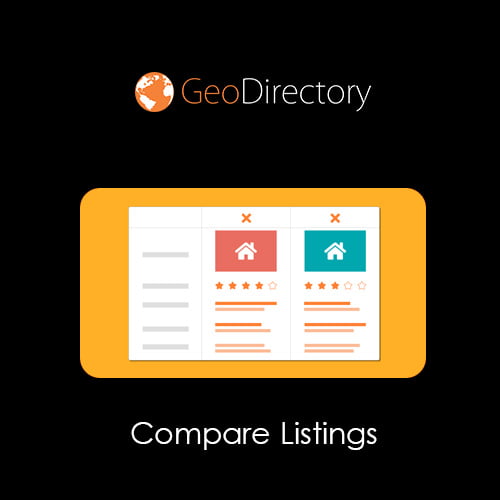
The core feature of the GeoDirectory Compare Listings plugin is its user-friendly comparison table. When users click the “Compare” button next to their selected listings, the plugin generates a neatly formatted table that displays all key details side by side. This table includes vital information such as pricing, features, ratings, locations, and other custom fields.
2. Customizable Fields
You can customize the fields that appear in the comparison table, allowing you to highlight the most important details for your users. Whether it’s pricing, size, features, or reviews, you have full control over what data is included, so it’s tailored to the specific needs of your directory.
3. Compatible with Multiple Listing Types
GeoDirectory Compare Listings GPL works well with all types of listings within your directory. Whether you’re running a directory for real estate, restaurants, services, or any other niche, the plugin adapts to show the appropriate data for each listing type.
4. Easy Integration with GeoDirectory
Since GeoDirectory Compare Listings plugin is an extension of the GeoDirectory plugin, it integrates seamlessly with your existing setup. There’s no complicated setup or coding required. Simply install the plugin, and it will automatically begin working with your directory.
5. Mobile-Friendly
More users are browsing directories from mobile devices than ever before. The GeoDirectory Compare Listings GPL plugin is fully responsive, ensuring that users can compare listings just as easily on smartphones and tablets as they can on desktop computers.
6. Customizable Design
The plugin allows you to customize the design of the comparison table to match the look and feel of your site. Whether you want to change fonts, colors, or layout, the flexibility ensures that the comparison table will seamlessly blend with your website’s theme.
7. Helps with SEO
The comparison tool encourages users to stay on your site longer, which can positively impact your SEO rankings. Additionally, the plugin displays listing information in a structured, well-organized manner, making it easier for search engines to crawl and index your content.
How to Set Up GeoDirectory Compare Listings GPL
Setting up GeoDirectory Compare Listings GPL is simple. Here’s a basic overview of the steps:
- Install GeoDirectory Plugin: Before you can use the comparison plugin, make sure the GeoDirectory plugin is installed on your website.
- Install the Compare Listings Plugin: Download and install GeoDirectory Compare Listings GPL through the WordPress dashboard.
- Configure Settings: Go to the plugin’s settings page and select the fields you want to display in the comparison table.
- Enable Comparison Button: Enable the “Compare” button on your listings so users can add listings to their comparison table.
- Customize Appearance: Adjust the design of the comparison table to match your website’s branding and style.
- Enjoy the Features: Once everything is set up, your users can start comparing listings directly on your site.
Why You Should Avoid GeoDirectory Compare Listings Nulled Versions
While the idea of using GeoDirectory Compare Listings nulled versions may seem appealing, there are several significant risks involved:
- Security Vulnerabilities: Nulled plugins often contain malicious code that can compromise your website’s security. This could lead to data breaches, malware, or hacking attempts.
- Lack of Updates: You won’t receive updates or bug fixes with nulled plugins. This means your plugin could become outdated, leading to compatibility issues with other software.
- No Support: If you run into issues with a nulled plugin, you won’t be able to get help from the developers. This can result in unresolved problems that could affect your site’s functionality.
- Legal Risks: Using nulled plugins is illegal and violates copyright laws, which could result in legal consequences for your website.
To protect your website and ensure a smooth user experience, always use the official, licensed version of GeoDirectory Compare Listings GPL.
Conclusion
Adding the GeoDirectory Compare Listings GPL plugin to your directory website is a game-changer. It empowers users to make smarter decisions by providing an intuitive way to compare multiple listings side by side. With a customizable, user-friendly interface, this plugin enhances your website’s functionality and boosts user engagement, leading to higher conversion rates and lower bounce rates.
Avoid the risks of GeoDirectory Compare Listings nulled versions and ensure your website remains secure, up-to-date, and fully functional by using the official GPL version. Get started with GeoDirectory Compare Listings GPL today and offer your users a superior browsing and decision-making experience.


Reviews
There are no reviews yet.