
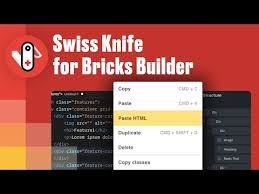
Swiss Knife Bricks GPL
Original price was: $79.00.$3.99Current price is: $3.99.
- Very cheap price & Original product !
- We Purchase And Download From Original Authors
- You’ll Receive Untouched And Unmodified Files
- 100% Clean Files & Free From Virus
- Unlimited Domain Usage
- Free New Version
- License: GPL
DEMO LINK
DOWNLOAD ALL!
Over 3000+ plugins and themes can be downloaded as a premium member for only $7.99. Become Member Now!Swiss Knife Bricks GPL
When you build a website using Bricks Builder, you expect flexibility, speed, and full control. But sometimes the base tools feel limiting. That’s where Swiss Knife Bricks GPL comes in — a powerful add‑on that turns Bricks into a Swiss army knife of web design. Whether you’re a developer, designer, or content creator, this plugin gives you advanced tools, workflows, and customization options you didn’t know you were missing.
In this description, you’ll discover what Swiss Knife Bricks GPL can do, how it boosts productivity, and why it’s different from ordinary plugins. You’ll also see why many people compare it to a universal toolkit — once you start using it, you’ll wonder how you ever lived without it.
What Is Swiss Knife Bricks GPL?
Swiss Knife Bricks GPL is a plugin extension for the Bricks Builder framework on WordPress. It enhances, extends, and refines the default capabilities of Bricks by giving you extra features, new workflows, and deeper control. It is distributed under the GPL license, which means you can use, modify, and redistribute it under the same open terms.
Put simply: Swiss Knife Bricks GPL transforms Bricks Builder from a capable page builder into a full‑fledged design and development toolkit.
Key Features & Capabilities
Here are the standout features that make Swiss Knife Bricks plugin a must-have companion:
1. Paste HTML → Bricks Elements
One of the most compelling hacks: you can paste raw HTML code, and the plugin will convert it into static Bricks elements. Want to port a snippet or template quickly? This speeds up building custom designs or migrating code-based layouts.
2. Class Copy / Paste Between Elements
Need to reuse utility classes or style groups? Swiss Knife Bricks enables you to copy classes from one element and paste them to another (or many) in one go. That cuts down repetitive styling work.
3. Multi‑Select Styling & Bulk Editing
Hold down Shift (or use its multi‑select tool) to choose multiple elements at once, then style them together. Whether margins, typography, color, or layout — you make consistent changes fast across several elements.
4. Scripts Manager / Asset Control
Instead of overloading your site with CSS or JS you don’t need, you can register and enqueue scripts and styles selectively. Use a CDN or self-hosted files. This gives you lean control over front-end performance.
5. Plain Classes Bypass
Bricks often uses its internal class selector system. Swiss Knife Bricks adds a “plain classes” feature so you can directly enter CSS classes instead. This skips the Bricks interface overhead when you just want to apply utility names or micro styles.
6. Utility Integration (e.g. Winden / Tailwind Style)
If you prefer working with utility frameworks (like Tailwind or Winden), this plugin helps you integrate them seamlessly inside Bricks and use their classes and methodology within Bricks layouts.
7. Developer API & Hook Support
Swiss Knife Bricks plugin includes APIs, hooks, and filters that allow advanced users to extend its features further. You can write add-ons or custom code modules that piggyback on its core capabilities.
Benefits You’ll Immediately Feel
Using Swiss Knife Bricks GPL doesn’t just add features — it changes your workflow and yields real advantages:
✅ Faster Development & Prototyping
By converting HTML to bricks, copying classes, bulk editing, and managing assets smartly, you shave off repetitive steps. What would take an hour can often take minutes.
✅ Cleaner Code & Better Performance
The scripts manager ensures you only load what you need. No more unused CSS or JavaScript cluttering your pages. This helps reduce bloat, speed up page load, and improve user experience.
✅ Design Consistency
When multiple elements share styles (colors, spacing, typography), you want them consistent. With multi‑edit and class copy features, you maintain visual harmony effortlessly.
✅ Flexibility & Control
You can customize deeply—override internal behavior, use hooks, and tailor features to your project’s needs. You are not boxed in.
✅ GPL Freedom & Ownership
Because it’s distributed under the GPL, you have the freedom to use, modify, or redistribute Swiss Knife Bricks GPL under the same terms. You fully control your license usage.
Use Cases & Ideal Situations
Here are practical scenarios where Swiss Knife Bricks offers serious advantage:
-
Migrating templates or HTML prototypes into Bricks — Paste HTML, convert to bricks structure.
-
Rapid designing of landing pages and microsites — Multi‑select and style groups of elements fast.
-
Utility CSS frameworks adoption — If you rely on utility classes, plain classes support helps integration.
-
Optimizing performance-sensitive sites — Use the scripts manager to only load essential assets.
-
Custom plugin or theme development — Use APIs and filters in your custom modules.
-
Teams or agencies — Ensures every designer or developer in your team can maintain design consistency.
What You Should Know (Limitations & Best Practices)
To help you use Swiss Knife Bricks to its full potential, here are a few points to note:
-
The plugin assumes you already use Bricks Builder — Swiss Knife Bricks plugin is an add-on, not a standalone builder.
-
Some features, like paste HTML or class override, should be used carefully on complex structures to avoid conflicts.
-
Always test changes in a staging environment before applying on production — especially when modifying scripts or classes.
-
Because it’s GPL, you might find versions labeled Swiss Knife Bricks nulled on unofficial sites. These versions may be unsafe or outdated and are not recommended for security and support reasons.
-
Keep backups of your site and database before major changes, especially when activating or deactivating modules of the plugin.
Why It Stands Out Among Alternatives
There are many add‑ons for Bricks, but Swiss Knife Bricks GPL distinguishes itself in several ways:
-
Holistic workflow features — not just components or elements, but tools for class handling, HTML conversion, and code control.
-
GPL licensing model — gives you freedom to use, modify, and share under open terms.
-
Developer‑friendly architecture — hooks and APIs make customization easier.
-
Performance-first approach — the focus on asset control and minimal overhead helps your site stay nimble.
-
Utility CSS friendliness — if you work with Tailwind, Winden, or CSS utility methods, this plugin aligns much better than rigid “drag & drop only” addons.
Step‑by‑Step: Getting Started
Here’s a simple workflow for using Swiss Knife Bricks GPL after installation:
-
Activate the plugin from your WordPress dashboard (requires Bricks Builder present).
-
Enable needed modules — Swiss Knife Brick GPL’s modular approach means you only turn on features you’ll use.
-
Paste or import HTML for sections you already have designed—let the plugin convert them to brick elements.
-
Select multiple elements and apply bulk style changes (spacing, typography, colors).
-
Use class copy / paste to transfer class setups between similar elements.
-
Manage scripts/styles — register, enqueue or disable as needed for your pages.
-
If needed, write custom code using plugin hooks and extend functions to match your project needs.
-
Test performance & consistency — verify your pages load fast, style consistency holds, and nothing breaks.
A Word on Swiss Knife Bricks Nulled Versions
Because Swiss Knife Bricks GPL uses an open GPL license, unauthorized “nulled” versions sometimes circulate. But using a Swiss Knife Bricks nulled version is risky:
-
It may contain malicious code, malware, or hidden backdoors.
-
You may lose access to updates, patches, or compatibility fixes.
-
There is no guarantee of stability or support.
-
Legal risks or policy violations may occur on managed hosts.
Always prefer trusted sources or original distributions, and avoid unknown nulled releases.
Summary & Final Thoughts
If you are serious about building high-performance, flexible websites with Bricks, Swiss Knife Bricks GPL is a transformative tool. It doesn’t just add new elements — it enhances your workflow, enforces design consistency, gives you fine control over assets, and allows deep extensibility.
-
Use paste HTML to speed up layout conversion.
-
Copy and paste classes to reuse styles.
-
Bulk edit multiple elements at once.
-
Manage scripts only where needed to trim bloat.
-
Tap into hooks and APIs to tailor advanced behavior.
-
Benefit from GPL freedom while avoiding dark risks of Swiss Knife Bricks nulled versions.
For developers, designers, agencies, or anyone wanting maximal control in their Bricks environment, Swiss Knife Bricks GPL is a must-have plugin extension. It’s not about gimmicks — it’s about streamlining your workflow and making your site leaner, cleaner, and more powerful.
Top Hosting Providers
Our site is reader-supported & ad-free. When you purchase through links on our site, we often earn referral fees. Our reviews & rankings are not affected by participation in such programs. Learn More
We have tested more than 117 top hosting providers and handpicked the top Providers for your business. We have tested Server Response Time, Security, Support, Price, and overall speed. We literally love these hosting providers and our honest suggestion will help you get great hosting.
There are many providers that are in business because of advertisements and they charge much more for their shit. You can get a better host, in fact, our #1 recommended host in less price than that.
Top Themes
Here we go for the popular themes: These themes are using one of the popular page builders.
Our site is reader-supported & ad-free. When you purchase through links on our site, we often earn referral fees. Our reviews & rankings are not affected by participation in such programs. Learn More
3. OCEAN WP –CHECK LATEST OFFER
6. ENFOLD – CHECK LATEST OFFER
7. FLATSOME- CHECK LATEST OFFER
8. STUDIO PRESS – CHECK LATEST OFFER
9. GENERATE PRESS – CHECK LATEST OFFER
11. BE THEME – CHECK LATEST OFFER
12. NEWS PAPER – CHECK LATEST OFFER
13. SALIENT – CHECK LATEST OFFER
TOP PAGE BUILDER
TOP PLUGINS
Be the first to review “Swiss Knife Bricks GPL”
Related products

WordPress Brands


Wordpress Themes

Codecanyon

Codecanyon


Page Builder

Wordpress Themes

Reviews
There are no reviews yet.